
Automation without
the flowcharts.
You don't build workflows. You work — and lynox notices what you repeat. Then it offers to take over.
How it works
From habit
to autopilot.
You work normally
Check emails, update CRM, send follow-ups, generate reports. lynox tracks every action in the background.
lynox detects the pattern
"You do this every Monday morning: check emails, update 3 deals, send a weekly report." It proposes a workflow.
One click to automate
Promote the captured workflow. Set a schedule — daily, weekly, on trigger. lynox runs it autonomously.
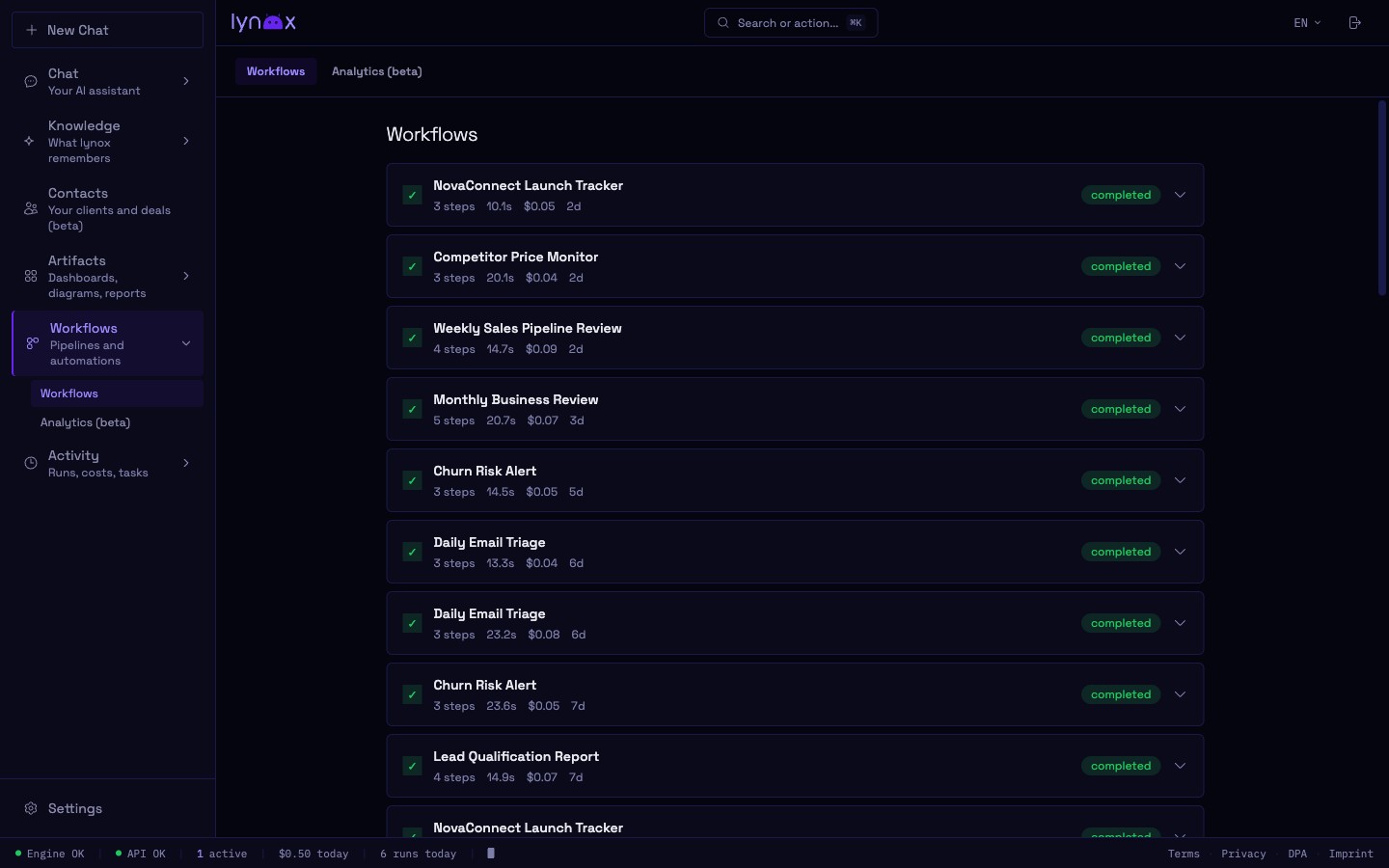
Execution engine
DAG pipelines.
Not toy automations.
DAG pipeline engine
Steps run in parallel when possible, sequentially when needed. Directed Acyclic Graph execution — the same pattern used by Airflow and dbt.
Cron scheduling
Every hour, every Monday at 9am, first of the month — any cron expression. Workflows run on time, even when you're offline.
Multiple triggers
Cron, webhooks, file changes, or manual. Combine triggers — a task can run on schedule AND on demand.
Cost control
Every workflow tracks token usage and cost. Set budget limits per workflow — no runaway spending.
Examples
Real workflows.
Not demos.
Monday email triage
Every Monday at 8am: scan inbox, draft replies for urgent threads, update CRM contacts, send you a summary in the dashboard.
Weekly sales report
Every Friday: pull deal pipeline data, calculate win rate and revenue forecast, generate a formatted report, save to Google Drive.
New lead qualification
On webhook trigger: research the company, enrich contact data, score the lead, update CRM stage, notify you if high-value.